


Reflect
By Arab Bank
  • About
  • Features
    • Accounts
      • Current Account
      • Savings Accounts
      • Loyalty Account
      • Multicurrency Accounts
      • Non-Jordanian Residents Account Opening
    • Payments
      • Reflect QR
      • Tap to Pay
      • Apple Pay
      • Google Pay
    • Cards
      • Virtual Card
      • Debit Card
      • Credit Card
    • Salary Transfer
      • Salary Transfer for Individuals
      • Salary Transfer for Businesses
    • Transfers & Funding
      • Send & Request Money
      • CliQ Transfers
      • IBAN Transfers
      • Arab Bank Transfers
      • Add Money
    • Other Services
      • Travel Insurance
      • E-Vouchers
      • Pay Bills
      • E-Statement
      • Split the Bill
      • Marketplace
    • Lending
      • Instant Loan
  • Offers
  • Campaigns
  • Support
    • ReVA
    • Support
  • Merchants
  • Journal
    • Neosletter
    • Press Hub
Search
  • العربية

Download

JOR


PAL

JOR

  • EN
  • العربية
Features
Financial Services
Send and Request money

Send and Request money

From your wallet to theirs, with fast and easy transfers using IBAN.

Make international payments 24/7 in online banking, whether it’s going to a Reflect account or another bank.

Don’t forget to share these details by pressing on the share button, we also suggest you save these on your notes for easier access!

You can also use your IBAN number to top up your account
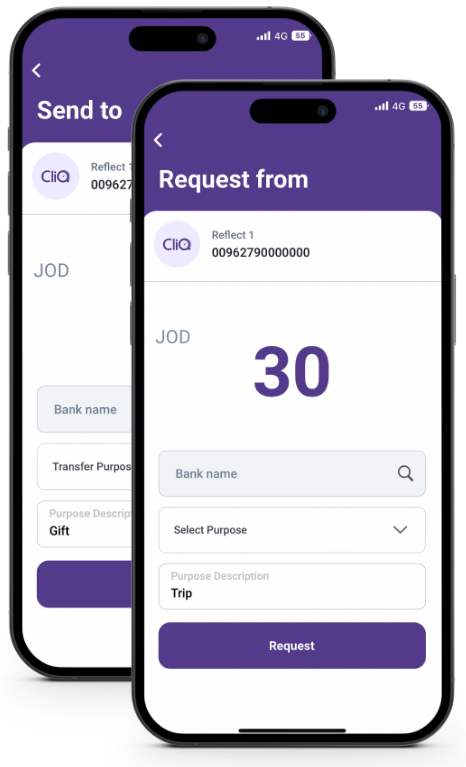
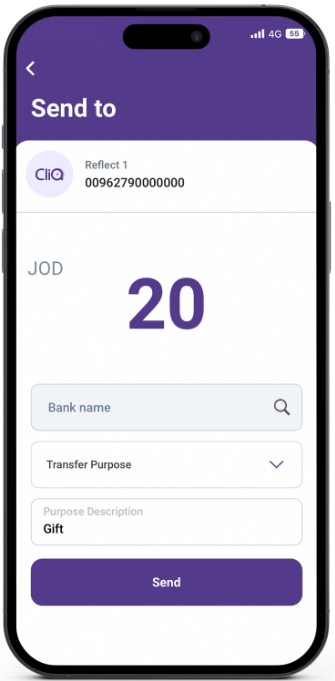
Send Money

Your friends waiting for their money? Send them money instantly & for free!

To use the Send Money feature first click on the “Send” icon found on the home-page of the application. Select a contact. Input amount and description. Confirm and authenticate the transaction.
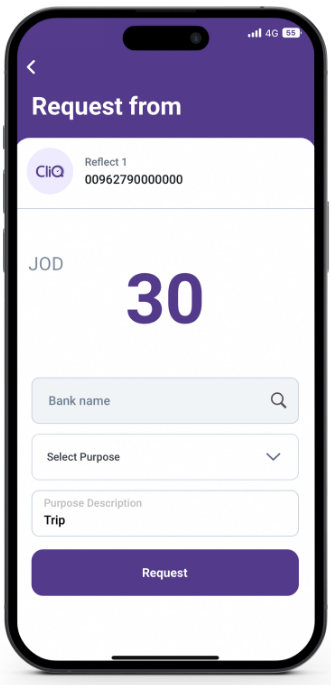
Request Money

No need to worry about your friends not paying you back anymore!

We also help you send out reminders on any sent request.

Don’t forget to add a GIF. You are always a few taps away with Reflect!

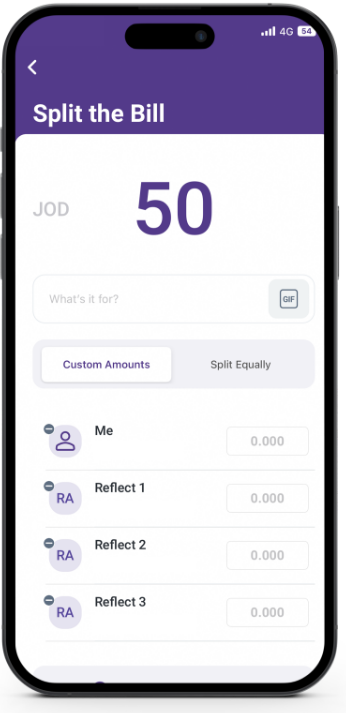
Split The Bill

Your friends waiting for their money? Send them money instantly & for free!

To use the Send Money feature first click on the “Send” icon found on the home-page of the application. Select a contact. Input amount and description. Confirm and authenticate the transaction.
Reflect
Facebook Instagram Twitter Youtube

Download Now!

Arab Bank’s headquarters are located, in Amman, Jordan, at Shmeisani, Pr. Shaker St, Building 8.
  • Links
    • Home
    • About Us
    • Fees & Commissions
  • Services
    • Debit Card
    • Credit Card
    • Instant Loan
    • Salary Transfer – Individuals
    • Current Account
    • Savings Accounts
    • Multicurrency Accounts
    • Loyalty Account
  • Others
    • Travel Insurance
    • ReVA
    • Support
    • Offers

Stay in touch!

Subscribe to Neosletter and stay up to date with all lifestyle related news and updates
© 2026 Reflect All rights reserved.
  • Whistleblowing
  • Customer Complaints
  • Privacy policy
  • About
  • Features
    • Accounts
      • Current Account
      • Savings Accounts
      • Loyalty Account
      • Multicurrency Accounts
      • Non-Jordanian Residents Account Opening
      • Back
    • Payments
      • Reflect QR
      • Tap to Pay
      • Apple Pay
      • Google Pay
      • Back
    • Cards
      • Virtual Card
      • Debit Card
      • Credit Card
      • Back
    • Salary Transfer
      • Salary Transfer for Individuals
      • Salary Transfer for Businesses
      • Back
    • Transfers & Funding
      • Send & Request Money
      • CliQ Transfers
      • IBAN Transfers
      • Arab Bank Transfers
      • Add Money
      • Back
    • Other Services
      • Travel Insurance
      • E-Vouchers
      • Pay Bills
      • E-Statement
      • Split the Bill
      • Marketplace
      • Back
    • Lending
      • Instant Loan
      • Back
    • Back
  • Offers
  • Campaigns
  • Support
    • ReVA
    • Support
    • Back
  • Merchants
  • Journal
    • Neosletter
    • Press Hub
    • Back