


Reflect
By Arab Bank
  • About
  • Features
    • Accounts
      • Current Account
      • Loyalty Account
      • Multicurrency Accounts
      • Non-Jordanian Residents Account Opening
    • Financial Services
      • Instant Loan
      • Salary Transfer for Individuals
      • Salary Transfer for Businesses
      • Split the Bill
      • E-Statement
    • Cards
      • Virtual Card
      • Debit Card
      • Credit Card
    • Savings
      • Savings Account
    • Transfers
      • Send & Request Money
      • CliQ Transfers
      • IBAN Transfers
      • Arab Bank Transfers
    • Payments
      • Reflect QR
      • Pay Bills
      • Tap to Pay
      • Apple Pay
      • Google Pay
    • Shopping
      • Marketplace
      • E-Vouchers
    • Funding
      • Add Money
  • Offers
  • Campaigns
  • Support
    • ReVA
    • Support
  • Merchants
  • Journal
    • Neosletter
    • Press Hub
Search
  • العربية

Download

JOR


PAL

JOR

  • EN
  • العربية
Features
Financial Services
Send and Request money

Send and Request money

From your wallet to theirs, with fast and easy transfers using IBAN.

Make international payments 24/7 in online banking, whether it’s going to a Reflect account or another bank.

Don’t forget to share these details by pressing on the share button, we also suggest you save these on your notes for easier access!

You can also use your IBAN number to top up your account
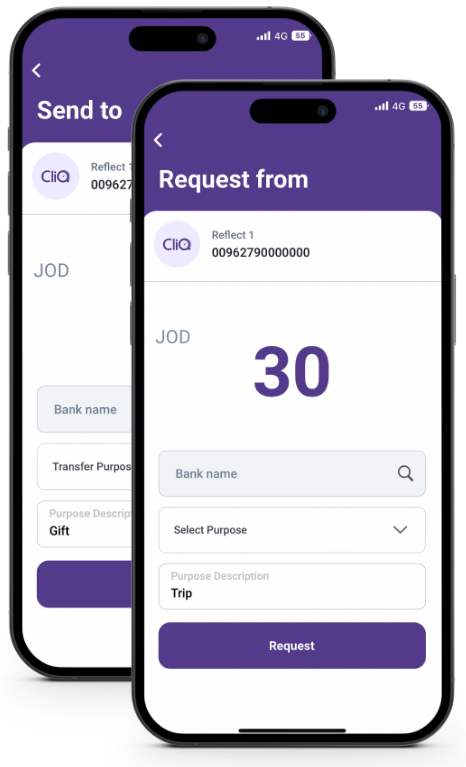
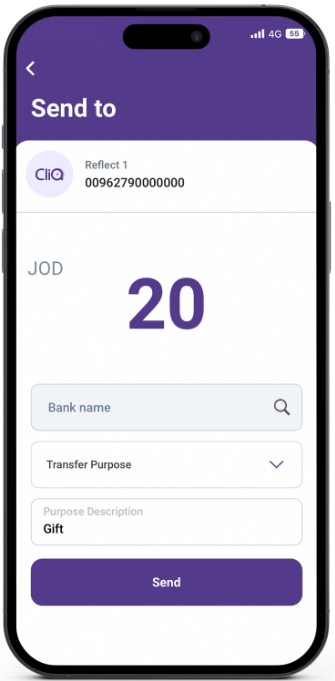
Send Money

Your friends waiting for their money? Send them money instantly & for free!

To use the Send Money feature first click on the “Send” icon found on the home-page of the application. Select a contact. Input amount and description. Confirm and authenticate the transaction.
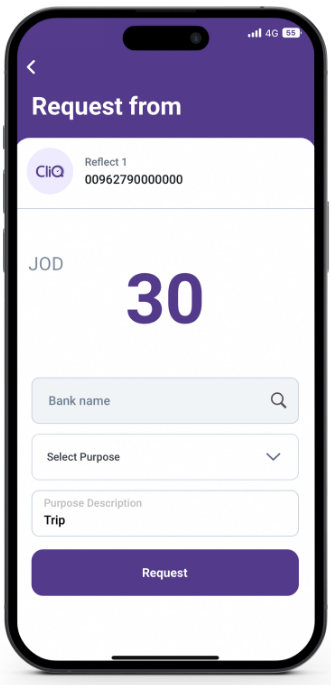
Request Money

No need to worry about your friends not paying you back anymore!

We also help you send out reminders on any sent request.

Don’t forget to add a GIF. You are always a few taps away with Reflect!

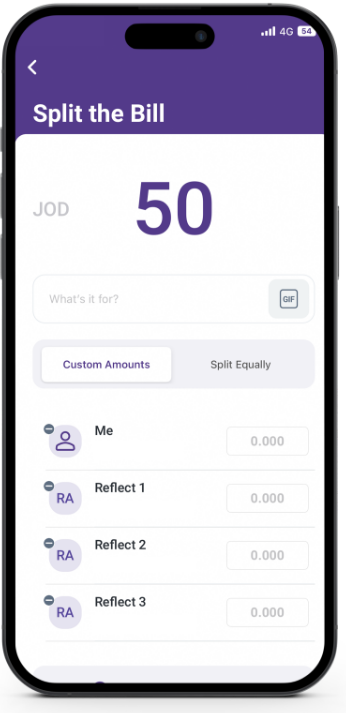
Split The Bill

Your friends waiting for their money? Send them money instantly & for free!

To use the Send Money feature first click on the “Send” icon found on the home-page of the application. Select a contact. Input amount and description. Confirm and authenticate the transaction.
Reflect
Facebook Instagram Twitter Youtube

Download Now!

Arab Bank’s headquarters are located, in Amman, Jordan, at Shmeisani, Pr. Shaker St, Building 8.
  • Links
    • Home
    • About Us
    • Fees & Commissions
  • Services
    • Current Account
    • Savings Account
    • Multicurrency Accounts
    • Loyalty Account
    • Debit Card
    • Credit Card
    • Instant Loan
    • Salary Transfer – Individuals
  • Others
    • ReVA
    • Support
    • Offers

Stay in touch!

Subscribe to Neosletter and stay up to date with all lifestyle related news and updates
© 2026 Reflect All rights reserved.
  • Whistleblowing
  • Customer Complaints
  • Cookie Policy
  • Privacy policy
  • About
  • Features
    • Accounts
      • Current Account
      • Loyalty Account
      • Multicurrency Accounts
      • Non-Jordanian Residents Account Opening
      • Back
    • Financial Services
      • Instant Loan
      • Salary Transfer for Individuals
      • Salary Transfer for Businesses
      • Split the Bill
      • E-Statement
      • Back
    • Cards
      • Virtual Card
      • Debit Card
      • Credit Card
      • Back
    • Savings
      • Savings Account
      • Back
    • Transfers
      • Send & Request Money
      • CliQ Transfers
      • IBAN Transfers
      • Arab Bank Transfers
      • Back
    • Payments
      • Reflect QR
      • Pay Bills
      • Tap to Pay
      • Apple Pay
      • Google Pay
      • Back
    • Shopping
      • Marketplace
      • E-Vouchers
      • Back
    • Funding
      • Add Money
      • Back
    • Back
  • Offers
  • Campaigns
  • Support
    • ReVA
    • Support
    • Back
  • Merchants
  • Journal
    • Neosletter
    • Press Hub
    • Back